Instagram password reset emails surge, users urged to verify legitimacy
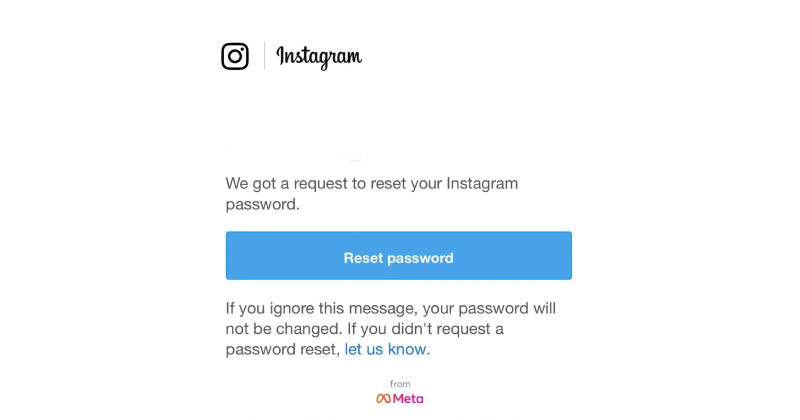
A wave of unexpected Instagram password‑reset emails has prompted users to question their authenticity and take steps to protect their accounts.
Key points
- Users report a surge of password‑reset emails from [email protected] that they did not request.
- Instagram has not confirmed a cause, but the volume suggests a system‑wide issue rather than isolated incidents.
- Legitimate emails include the user’s name or recent login activity and link to a secure Instagram page.
- If an email looks suspicious, ignore it and reset the password directly through the Instagram app or website.
- Report any questionable emails to Instagram’s support team to help prevent phishing attacks.
In recent days, a surge in Instagram password reset emails has left many users questioning the legitimacy of these messages. As of January 10, 2026, numerous reports have surfaced regarding unexpected password reset notifications flooding inboxes. These emails, often appearing to originate from [email protected], have caused confusion and concern among users who did not initiate a password reset. This article delves into the recent phenomenon, offering insights into potential causes and providing essential tips on how to protect your account from phishing attacks and other malicious activities.
The unwarranted Instagram password reset emails have sparked speculation about a potential mass glitch or data breach within the Instagram system. While Instagram has not officially confirmed the cause, the widespread nature of these emails suggests a system-level issue rather than isolated incidents. Users have taken to forums and social media to share their experiences, highlighting the broad scope of this problem. It’s crucial to recognize that these emails could be legitimate attempts by Instagram to enhance security or, conversely, part of a concerted cyberattack targeting unsuspecting users.
To navigate this situation, users must first recognize the legitimacy of these emails. The Metaverse emphasizes that legitimate password reset emails from Instagram will always come from an official sender address, such as [email protected]. These emails typically contain a link to reset your password, which should direct you to a secure Instagram page. However, it is essential to verify the authenticity of such links before clicking. If the email seems suspicious or contains unusual formatting, it is advisable to ignore it and reset your password directly from the Instagram app or the official Instagram website.
For those unsure about the legitimacy of a received Instagram password reset email, users can check the sender’s email address and the content of the email carefully. Legitimate emails from Instagram will include specific details that are unique to your account, such as your username or recent login activity. If any discrepancies are noticed, it is crucial to avoid interacting with the email and promptly report it to Instagram’s support team.
In conclusion, the unexpected surge in Instagram password reset emails underscores the need for heightened vigilance in online security. By understanding the signs of a legitimate email and taking proactive measures to protect your account, you can safeguard your personal information and maintain control over your Instagram presence. As the investigation into this issue continues, users are encouraged to stay informed and take immediate action if they suspect any suspicious activity. Always remember that your digital security is paramount, and a few cautious steps can go a long way in protecting your online identity.
Your questions, answered
How can I tell if an Instagram password reset email is legitimate?
Check the sender address ([email protected]) and look for your username or recent login activity in the email. Legitimate emails link to a secure Instagram page.
What should I do if I receive an unexpected password reset email?
Ignore the email, reset your password directly from the Instagram app or official website, and report the email to Instagram support.
How does this story make you feel?
Topics
 Up next · TechMinecraft Realms: Players Scrambling as Server Issues Persist